Free, with no adverts. Android 10 or later.How to install
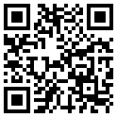
Scan with your phone's camera to open this page there.
About WhatsKeep
Keep the notifications that matter.
WhatsKeep quietly saves the notifications from the apps you pick, as they arrive: WhatsApp messages, emails, texts, delivery updates and anything else. If a message is deleted, or you swipe a notification away, your copy is still there, with its picture where one was shown.
Everything stays on your phone, encrypted. WhatsKeep has no internet permission at all, so nothing you save can leave the phone unless you export it yourself. Old captures delete themselves after the time you choose.
No internetThe app has no permission to go online.
EncryptedMessages and pictures locked with AES-256 on the phone.
No advertsNone in the app and none on this site.
Clears itselfCaptures delete after 30 days, or the time you choose.
A look inside
Real screens from WhatsKeep. Tap one to see it full size.
Notifications: everything saved from the apps you chose, newest first, with pictures where one was shown.WhatsApp: saved messages gathered into conversations, from WhatsApp and WhatsApp Business.A conversation: every message saved from one chat, with its sender and time.A saved capture: the full text, the picture, keep it as a favourite, export it or delete it.The opening screen. Nothing is saved until you choose apps and allow notification access.Retention and storage: delete after a day, a week, a month, any number of days, or never.Privacy: app lock with your fingerprint or screen lock, screenshot blocking and picture saving.Encrypted backup: one password-protected file to move your archive to a new phone.Settings, More apps: every app by the same developer, opened in your browser.Ivory and emerald in light mode. There is also Midnight and teal, and Charcoal and violet.
X-ray
Read from the app file itself (v1.0.1, 0.5 MB) when it was published.
Privacy score
The score starts at 100. Points come off for advert kits (10 each), trackers (8 each), high-risk permissions (6 each), medium-risk permissions (3 each), parts of the app other apps can start (2 each, up to 10), and unencrypted traffic (5). A permission only works if you allow it, so a camera app loses points for the camera even though it needs it.
100/ 100
Excellent
Nothing taken off. A perfect file.
Advertising kits
0
Code from advertising companies that shows adverts and usually collects data to target them. Found by matching the app's code against the Exodus Privacy list of known kits.
No known advertising kits found.
Trackers
0
Analytics, crash-reporting, profiling and location libraries that can send information about you to another company. Matched against 432 known trackers.
No known trackers found.
Permissions
2
What the app is able to ask for. Permissions marked "Asks first" do nothing until you say yes on your phone, and you can take them back at any time in Settings. "Automatic" ones are granted when you install.
0 high risk0 medium risk1 low risk1 harmless
Run at start-upAutomatic
Can start itself when the phone is switched on.
android.permission.RECEIVE_BOOT_COMPLETED
Fingerprint or face unlockAutomatic
Can ask you to unlock with your fingerprint or face. It never sees the print.
android.permission.USE_BIOMETRIC
Security checks
7/7 passed
Settings inside the app file that affect how safe it is. A blue mark is worth knowing about rather than a problem.
Debug modeDebugging is switched off.
Test-only buildNormal release build.
Unencrypted trafficThe app has no internet access.
Backup allowedThe app's data cannot be copied off with backup tools.
Modern Android targetBuilt for Android 16 (API 36) — gets current privacy protections.
Open background componentsNo background parts can be started by other apps.
Release signatureSigned with a release key.
Signature
Android only installs an update if it carries the same signature as the app already on your phone. These fingerprints let you check a file really came from here.
The building blocks inside the app. "Open" parts can be started by other apps on the phone without asking. Widgets, share targets and alarms need some open parts to work.
Screens1 open1
.MainActivity
Services3
.CaptureService
.CleanupService
.PauseTile
Receivers1
.BootReceiver
Providers0
None.
Native libraries
0
Compiled code for each type of phone processor. Most phones today use arm64-v8a.
None. The app is pure Android code and runs on any processor.
WhatsKeep uses Android's notification access, the same permission smart watches and car systems use to show your messages.
Choose your apps
Pick WhatsApp, WhatsApp Business, or any other app. Nothing from any other app is ever saved.
Allow notification access
Android asks once. From then on, each new notification from your chosen apps is saved the moment it arrives.
Read it any time
Open WhatsKeep to read, search and filter what was saved, even if the message was deleted or the notification cleared.
Everything is in, and all of it is free
Nothing below is held back for a paid tier, because there is no paid tier.
Saving
The apps you choose
Only notifications from apps you tick are saved. Everything else is ignored.
Whole messages
Long and grouped messages are saved in full when the app puts them in the notification, not just the first line.
Pictures
Picture previews shown in notifications are saved too, up to 960 pixels across.
Daily hours
Save each app only between set times, overnight too. A Quick Settings tile pauses saving in one tap.
Reading
Three tabs
Every notification, WhatsApp conversations, and saved pictures, each with its own search.
Search and filters
Search every word, sender and app. Filter by favourites, app, date and changed messages.
Changes kept
When a notification changes, the earlier text is kept and the new one is marked as an update.
Export
Save any message as a text file or its picture as a JPEG, wherever you choose.
Keeping it tidy
Deletes itself
Captures delete after 30 days by default. Change it for everything or for each app, from one day to never.
Favourites kept
Star a capture and it stays until you delete it.
Size limit
Keep the archive under 500 MB, or the size you choose. The oldest unstarred captures go first.
Delete any time
Delete one capture, or everything, in a couple of taps.
Private
No internet permission
WhatsKeep cannot go online, so it cannot send anything anywhere.
Encrypted on the phone
Messages, names and pictures are locked with AES-256, with the key held in Android's secure key store.
App lock
Open WhatsKeep with your fingerprint or screen lock. Saving carries on while it is locked.
Encrypted backup
Move your archive to a new phone in one file protected by your own password.
Private by design
Nothing leaves the phone
WhatsKeep has no internet permission. There are no servers, no account, no adverts and no analytics.
Encrypted at rest
Saved messages and pictures are encrypted with a key kept in Android's Keystore. Android's cloud backup is switched off for WhatsKeep.
Only what you choose
Only notifications from the apps you tick are saved, and only from the moment you switch it on. Nothing is read from other apps' storage.
Where WhatsKeep comes out ahead
WAMR and Notisave are popular apps that save notifications so you can read deleted messages. WhatsKeep does the same job with no adverts, no internet and an encrypted archive. This page shows only the rows where WhatsKeep does more.
Feature
WhatsKeepFree, no paid version
WAMRBy drilens
NotisaveBy Firehawk
No adverts
Yes
Contains ads
Contains ads
Nothing to buy
YesEvery feature free
In-app purchases
In-app purchases
No internet access
YesNo internet permission at all
Data sent, "encrypted in transit"
Data sent, "encrypted in transit"
Nothing collected or shared
YesThe developer receives nothing
Collects app activity and performance data
Shares device IDs with third parties
Saved messages encrypted on the phone
YesAES-256, key in Android Keystore
–
–
Deletes old captures automatically
YesAfter the time you choose, per app
–
–
Only the apps you choose
YesNothing else is ever saved
–
–
Daily saving hours per app
Yes
–
–
App lock
YesFingerprint or screen lock
–
–
Password-protected backup
YesTo move to a new phone
–
–
Other apps' details are taken from their own Google Play listings. Only the rows where WhatsKeep does better are shown.
What's new
Every version, newest first.
Version 1.0.1Latest
More apps, Check for updates and the website are now in Settings and About. They open in your browser; WhatsKeep still has no internet permission.
The bottom bar now sits flat on the bottom edge of the screen on phones with gesture or button navigation.
Choosing where to save or restore a backup or export no longer locks the app again when you come back.
Backups and exports now save to storage locations, such as some cloud folders, that refused them before.
The WhatsApp tab and the app filter read the archive in the background, so the screen stays smooth with a large archive.
Switches show a coloured track when they are on.
Version 1.0.0
First release. A private archive of the notifications you choose, with WhatsApp conversations and saved pictures.
Search, favourites, filters by app and date, and changed messages kept as updates.
Automatic deletion after the time you choose, per-app settings, daily hours and a size limit.
Encrypted on the phone, app lock, screenshot blocking and password-protected backups.
Midnight and teal, Charcoal and violet, and Ivory and emerald, in light or dark.
Questions
Is WhatsKeep really free?
Yes. There is no paid version, no subscription and no adverts.
Is it on Google Play?
No. WhatsKeep is a personal project and is downloaded from this site as an Android app file. It needs Android 10 or later.
Can it show messages that were deleted?
Yes, if WhatsKeep saved the notification before the message was deleted. Your copy stays until you delete it or it reaches the time you chose. It cannot bring back anything that arrived before you set it up, or anything that never showed as a notification.
Why are some messages missing?
A message is only saved if a notification arrives. If you have the chat open, or the chat is muted, there may be no notification. Some apps also shorten or hide what they put in the notification.
Does it save pictures, videos and voice notes?
It saves the picture preview when the notification shows one. Videos, voice notes, view-once media and full-size originals are not in notifications, so they cannot be saved.
Do I need to log in to WhatsApp?
No. WhatsKeep only reads notifications on your phone. It never logs in to WhatsApp or any other app and never reads their storage.
Android says the setting is restricted
Android can block notification access for apps installed from a file. Open Settings, Apps, WhatsKeep, tap the three dots and choose Allow restricted settings, then allow notification access again.
Will the sender know?
No. WhatsKeep saves the notification your phone already received. Opening WhatsKeep does not open the chat.
How do I move it to a new phone?
In Settings, Export and encrypted backup, save a backup with a password you choose, then restore it in WhatsKeep on the new phone. The password cannot be recovered, so keep it safe.
Is WhatsKeep part of WhatsApp?
No. WhatsKeep is an independent app. It is not made, approved or supported by WhatsApp or Meta.
Does it work on an iPhone?
No. iPhones do not let apps read notifications, so WhatsKeep is for Android only.
Who made it?
WhatsKeep is made by Jonathan Jackson, an independent developer in the United Kingdom.
Use it within the law
WhatsKeep is for keeping notifications on your own phone. Putting it on someone else's phone to read their messages, or using what you save to track, threaten or embarrass someone, can be a crime.
Computer Misuse Act 1990. Installing WhatsKeep on a phone that is not yours, or switching on its notification access, without the owner's permission can be unauthorised access to a computer under section 1, and unauthorised acts under section 3.
Investigatory Powers Act 2016. Secretly capturing another person's messages as they are sent to their phone, without lawful authority, can be unlawful interception under section 3.
Protection from Harassment Act 1997. Using saved messages to monitor, follow or pressure someone can be harassment or stalking.
UK GDPR and the Data Protection Act 2018. Messages contain other people's personal data. Keeping them for your own personal use is fine; sharing or publishing them, or using them for work or business, brings data protection duties.
Laws differ in other countries. If you are not in the UK, the rules where you are apply. Read the terms of use.
Your download has started. Three quick steps the first time.
Open the fileTap the download notification, or open Files and then Downloads, and tap WhatsKeep.apk.
Allow your browser to install appsAndroid asks once. Tap Settings, switch on Allow from this source, then go back. On a Samsung phone it's under Settings, Apps, Chrome (or Samsung Internet), Install unknown apps.
Tap InstallUpdates install over the top and keep your data, because every version is signed with the same key.
Chrome may warn you. It says "file might be harmful" for any app that doesn't come from Google Play. Choose Download anyway. You can check the file against the SHA-256 on this page.